When it comes to purchasing a new laptop, SSD (Solid-State Drive) and HDD (Hard Disk Drive) are two of the much-talked-about components. Consumers are mostly in a dilemma of what can be a good option for their next buy: HDD or SSD?
Well, to clear the fog about the matter in our minds, today we will be discussing the actual differences between SSD and HDD. And one thing we are already familiar with is that SSD is newer storage technology for computers that are faster than old-school storage. Except for this, what are the differences, let’s get into that.
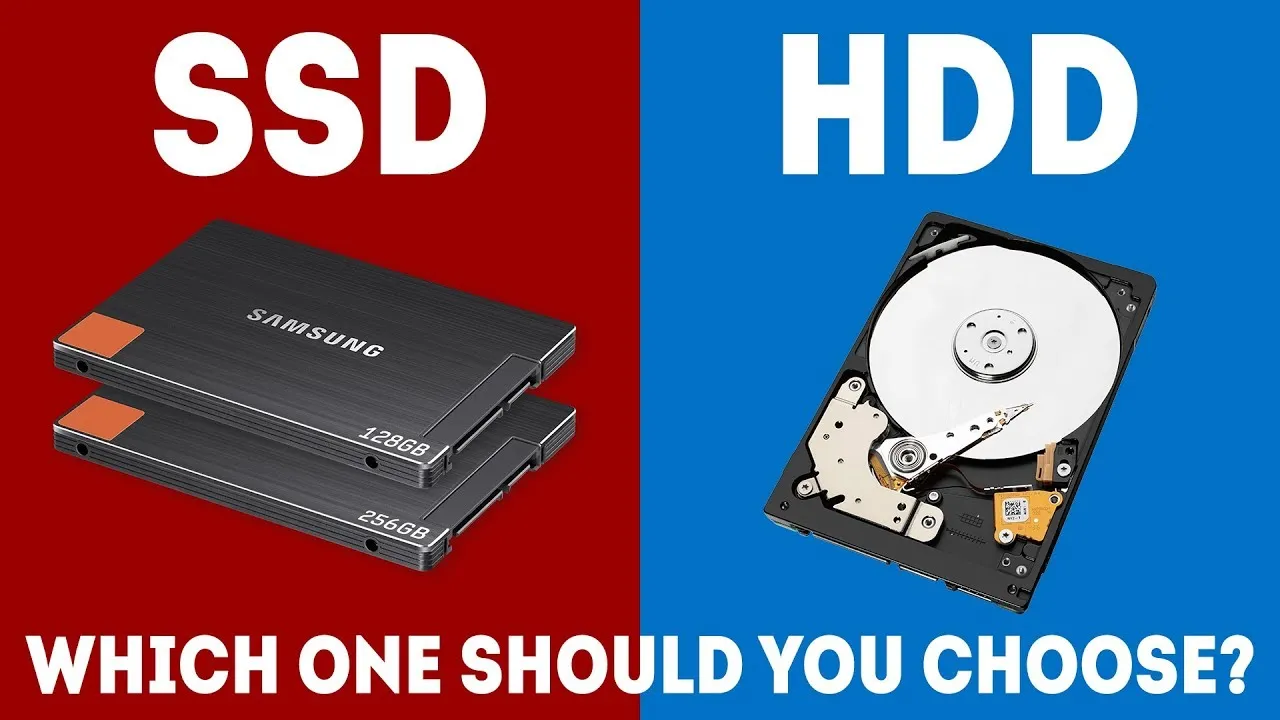
What HDD and SSD actually are?
- HDD (An enclosure contains a series of platters covered by a ferromagnetic coating. The direction of the magnetization represents the individual bits. Data is read and written by a head (similar to the way vinyl record albums work) that moves extremely fast from one area of the disk to another. Since all of these pieces are “mechanical,” the hard disk is the slowest component of any computer – and the most fragile.)
- SDD (These newer types of disks store information on flash memory, which consists of individual memory cells storing bits that are instantly accessible by the controller.) – source: Avast
Differences in Speed
Without any doubt, SSD is very much speed in working than the typical HDDs. A typical SSD offers up to 10x faster read and write speed than a mid-range HDD. For instance, while logging in to your computer, performing start-up tasks, opening apps, copying large-sized files, SSD does a much quicker job than the hard disks. SSD is also able to cope well during multi-tasking when most of the HDDs fail to do their job.
Speed is also influenced by the interface used in an SSD vs. hard drive that connects to the rest of the computer system when transferring data back and forth. You might have heard of these interfaces—SATA and PCI Express* (PCIe*). SATA is an older, slower, legacy technology, while PCIe is newer and faster. SSDs with PCIe* interfaces will typically be much, much faster than HDDs with SATA.
Size Comparison
When it comes to size or capacity, SSDs are available up to 4TB starting at 128GB. Meanwhile, HDDs can go from 250GB to 14GB. Therefore, in this case, SSDs lose the race as HDDs a lofty memory capacity that can even hold bulk files.
However, when it comes to power consumption, SSD consumes less power resulting in longer battery life while HDD requires a lot of power to run.
Price point?
As SDDs are new technology and perform at a beast pace, they are nearly 3-4x expensive than HDDs. However, this point makes sense too as with higher performance, everything arrives with a hefty price tag. However, if you have bulk files to store in a computer, we would definitely recommend an HDD as it's much efficient and less expensive.
What should I buy: HDD or SSD? (Our Verdict)
From our perspective, the right choice for you might depend on your personal needs. That means if you are a computer geek or say a hardcore computer user who multi-tasks and performs high memory consuming tasks in a computer on a daily basis, then SSD might be a perfect blend for you. On the other side, if you are someone who uses a computer for general tasking such as surfing the Internet, entertainment purpose, typing, and other lower memory requirement tasks, then SSD is not a must for you. The typical HDD can easily get your job done without any mess. Also, if you are someone who requires a bulk space to store your personal files on the PC, then HDDs can definitely be your go-to choice.
Therefore, the requirement for HDD (Hard Disk Drive) or SSD (Solid-State Drive) directly depends on your personal needs.