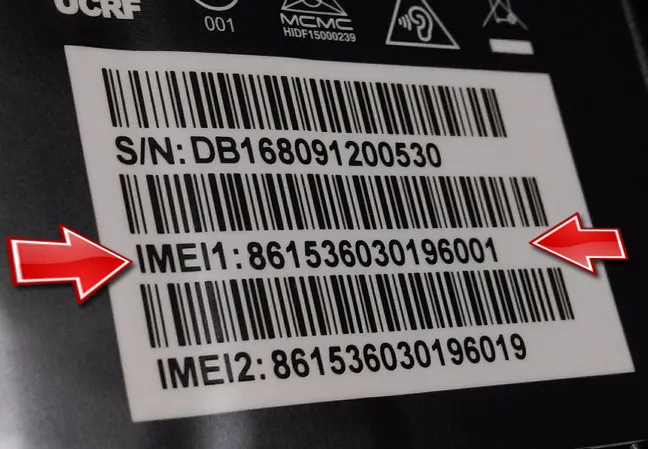
Before registering your mobile, you need to know the IMEI number first. The IMEI number of the officially imported mobile phone is initially registered by the importing company.
The IMEI numbers of mobile phones that came as gifts from abroad and were bought personally and illegally imported are mostly not registered. Some of the mobiles bought in Nepal may also not have IMEI number registration.
Find out More: Mobile Device Management system (MDMS) to be implemented in Nepal
In case of old phone models, most of those devices’ IMEI number is not registered at all as NTA has recently started registering the IMEI number a few years ago. Therefore, it would be a wise decision to quickly find out your device’s IMEI number and register it here in Nepal.
Some recently announced and launched smartphones:
- Poco F3 launched in Nepal | Price and Specifications
- Xiaomi Mi 11 launched in Nepal | Price and Specifications
- Poco X3 Pro launched in Nepal
- OnePlus 9 launched in Nepal | Price and Specifications
- Redmi Note 10 Pro launched in Nepal
How to Find your phone’s IMEI number?
You can easily find your device’s IMEI number on the box it came with or there is also another easy step you follow. Simply type ‘*#06#’ on your phone and dial it. The device will already show its IMEI number.
If the mobile supports only one SIM, it shows only one IMEI number. If it's dual SIM supportive, then there will be two IMEI numbers. In this case, both the IMEI numbers have to be registered with the authority.
Articles related to the smartphones Price list:
- Samsung Mobiles Price in Nepal 2021
- OnePlus Smartphones Price in Nepal 2021
- Oppo smartphones price in Nepal
- Infinix Mobiles Price in Nepal
How to register your device’s IMEI number in Nepal or find if it's already registered?
In order to know whether you need to register the IMEI or not, it’s important to find out if your mobile’s IMEI number is registered in the authority’s system or not.
For that, we should first click on this link. It has an option called ‘Know Your Device’. By going on that option, you can find out if your mobile’s IMEI number is currently registered or not.
How to Sign Up/Register if not registered?
-
Press the Sign Up Button.
-
Click on Individual Application Option (For Individual)
-
Fill up the application form with your required details such as Device Name, IMEI number, Citizenship Details, Contact Details, and so on.
-
Upload the Identification ID photo (should be less than 3 MB).
-
Submit the application and you are done.
Once you get your device registered in the NTA portal, you can even track or block your registered device.
Articles related to the smartphones Price list:
- Apple iPhones Price in Nepal
- Redmi Smartphones Price in Nepal 2021
- Poco Mobiles Price in Nepal
- Realme Smartphones Price in Nepal